






Operating Hours: Monday to Friday, 9am to 5pminfo@chakralabsai.com+94 72 063 5341fin

An AI team member that works for your organisation, on WhatsApp

Chakra AI: AI Assistant & WhatsApp Agent Platform

Chakra AI is a multi-ability AI agent that lives on WhatsApp (and Discord) and acts on behalf of your organisation. Officers, team members and customers just chat with it, by text, voice note, file or even a WhatsApp call, in Sinhala, English or other languages. It answers questions, drafts documents, takes meeting notes, sends messages and emails, follows up with team members, reminds officers of what is due, researches the internet and registers requests, all in one conversation, with roles, limits and an approval step to keep you in control.

  • Chakra AI
  • WhatsApp
  • AI Agent
  • Voice Calls
  • Meetings
  • Documents
  • Task Automation
  • Productivity
  • Customer Service
  • Multilingual

Your officers and your customers already live on WhatsApp. Our agent gives them one chat where real work gets done. It answers questions, writes documents, sends messages and emails, follows up with team members, reminds officers of what is due, posts updates and researches anything on the internet, on behalf of your organisation.

How it works

Three steps, no extra work for your team

  1. Someone sends a message

    An officer, a team member or a customer: text, a voice note or a file, in their own language.

  2. The agent understands and acts

    It answers from your knowledge base, or does the task: drafting, sending, reminding, researching, recording.

  3. The loop is closed

    The right person is told, the record is saved with a reference number, and follow-ups run until done.

Your officers and your customers already live on WhatsApp. Our agent gives them one chat where real work gets done. It answers questions, writes documents, sends messages and emails, follows up with team members, reminds officers of what is due, posts updates and researches anything on the internet, on behalf of your organisation.

What it can do for your officers and team

  • Create documents: letters, notices, reports, summaries and drafts from a short instruction
  • Execute tasks on your behalf: the routine work that eats an officer’s day
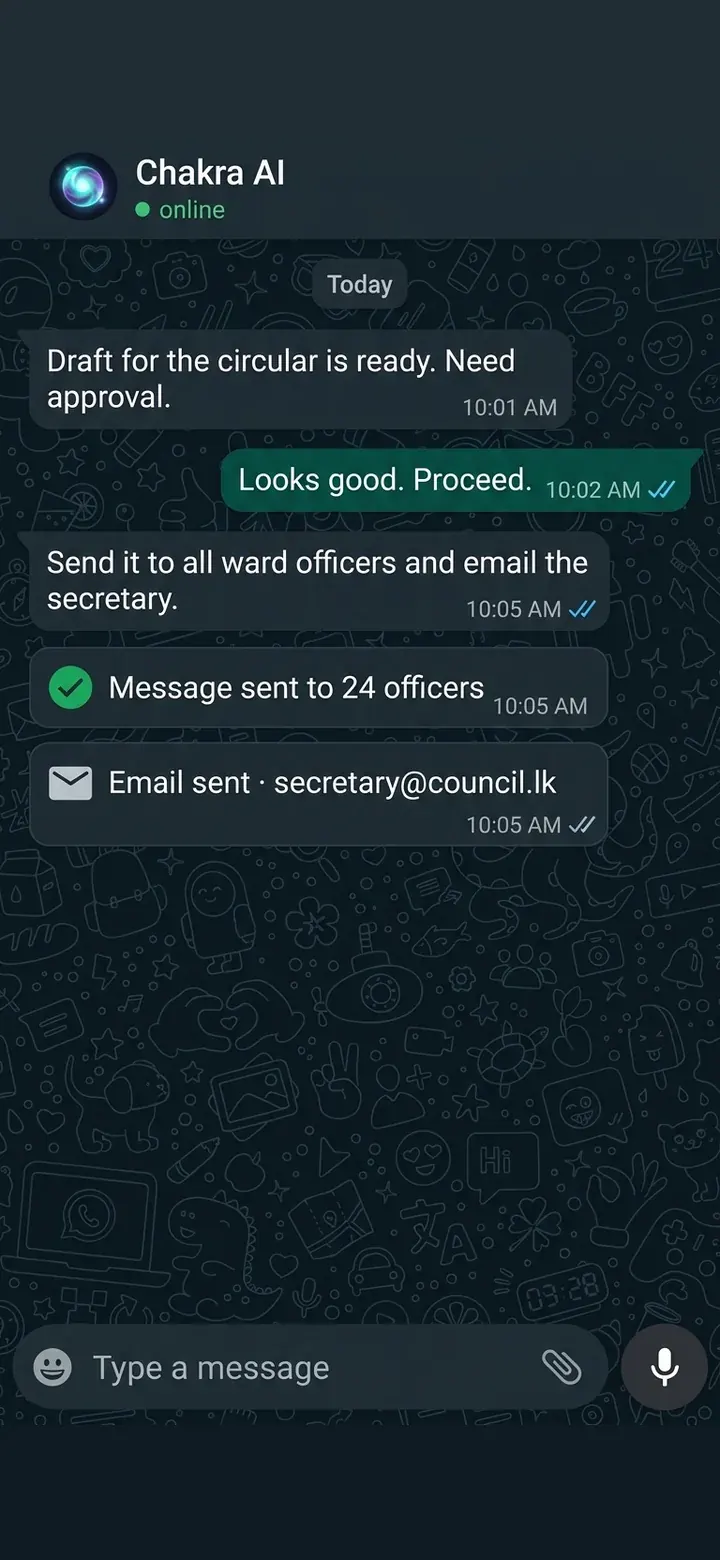
  • Send messages and emails: to individuals, groups or customers
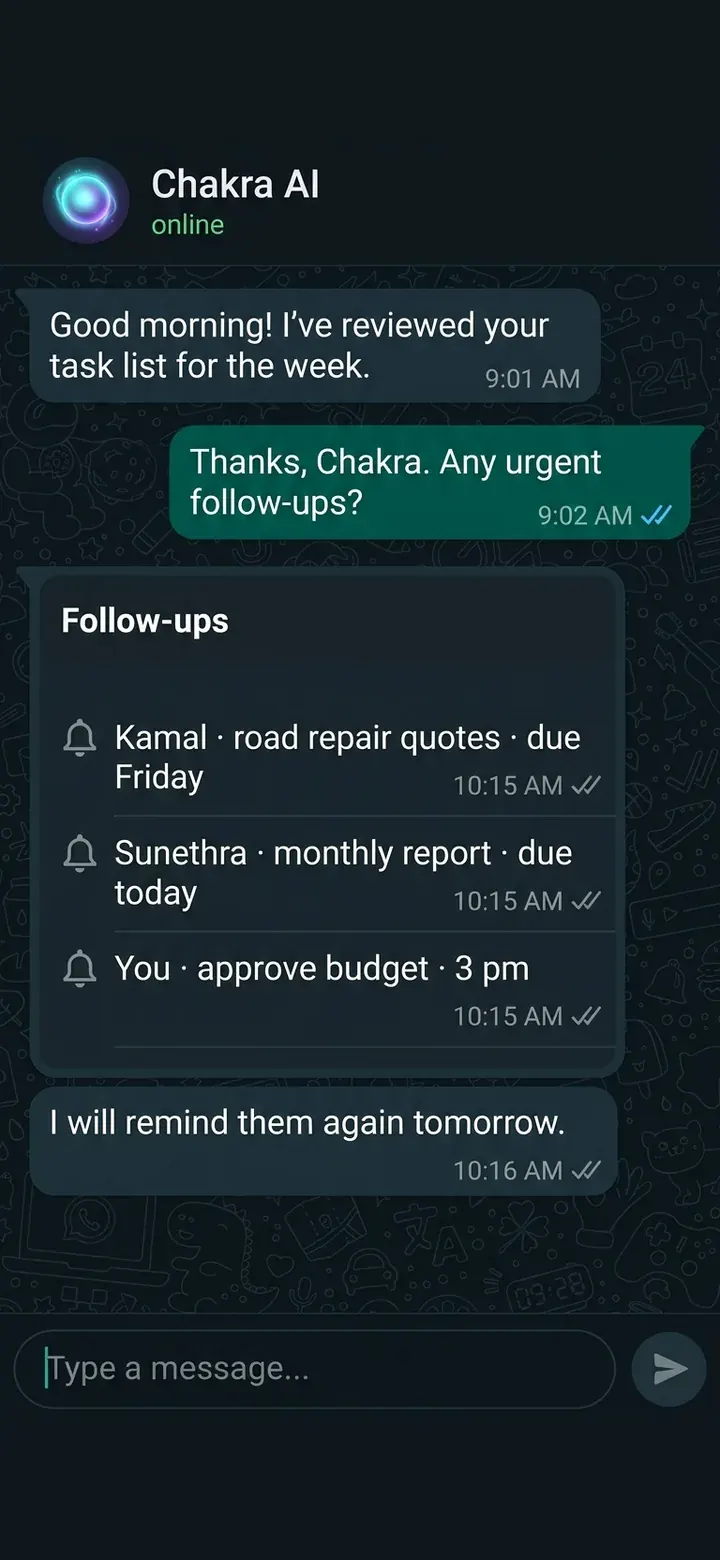
  • Follow up with team members: chase progress until a task is finished
  • Remind officers: deadlines, meetings, approvals and anything else that must not be forgotten
  • Post updates: share announcements on your behalf
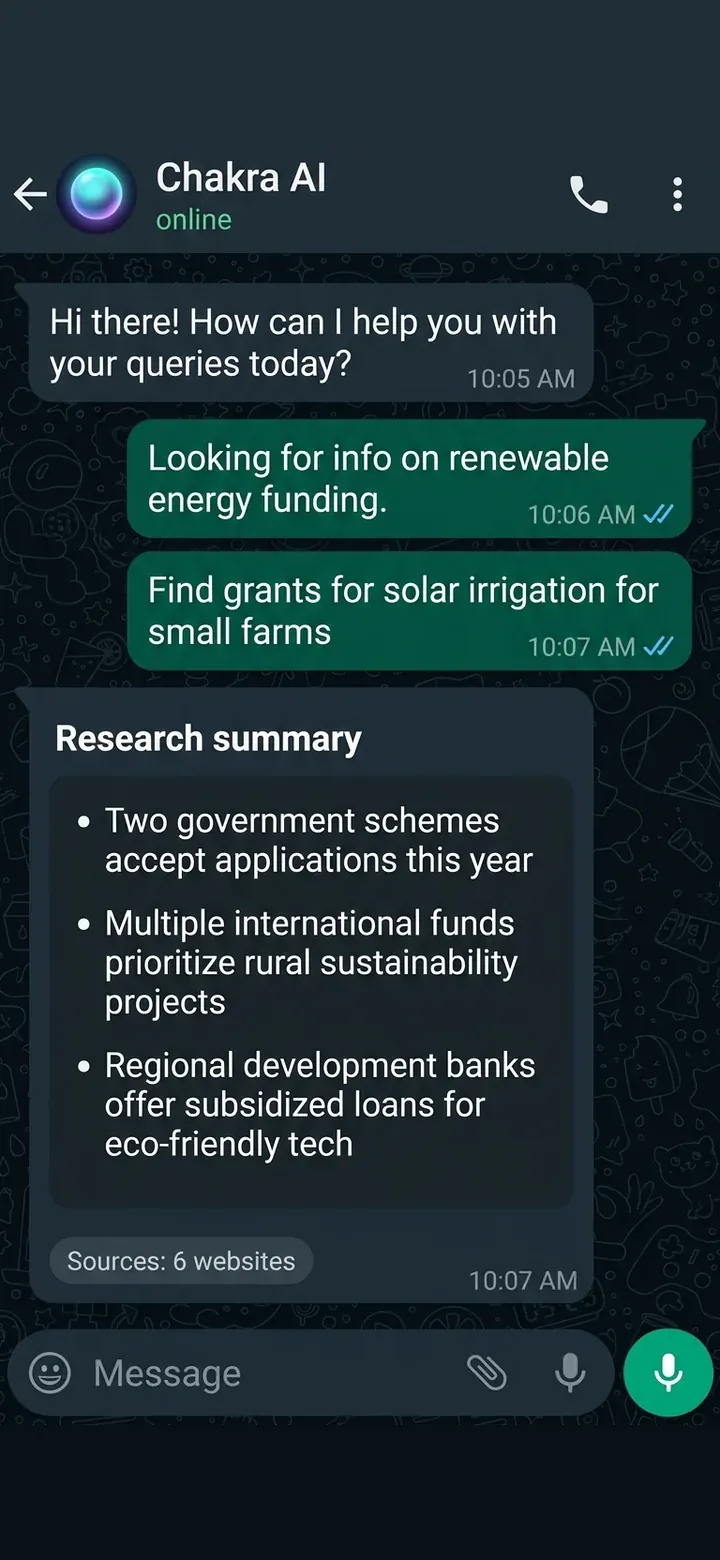
  • Research the internet: find, compare and summarise information, like a research assistant on call
Main features

What it can do for you

One chat for officers, teams and customers

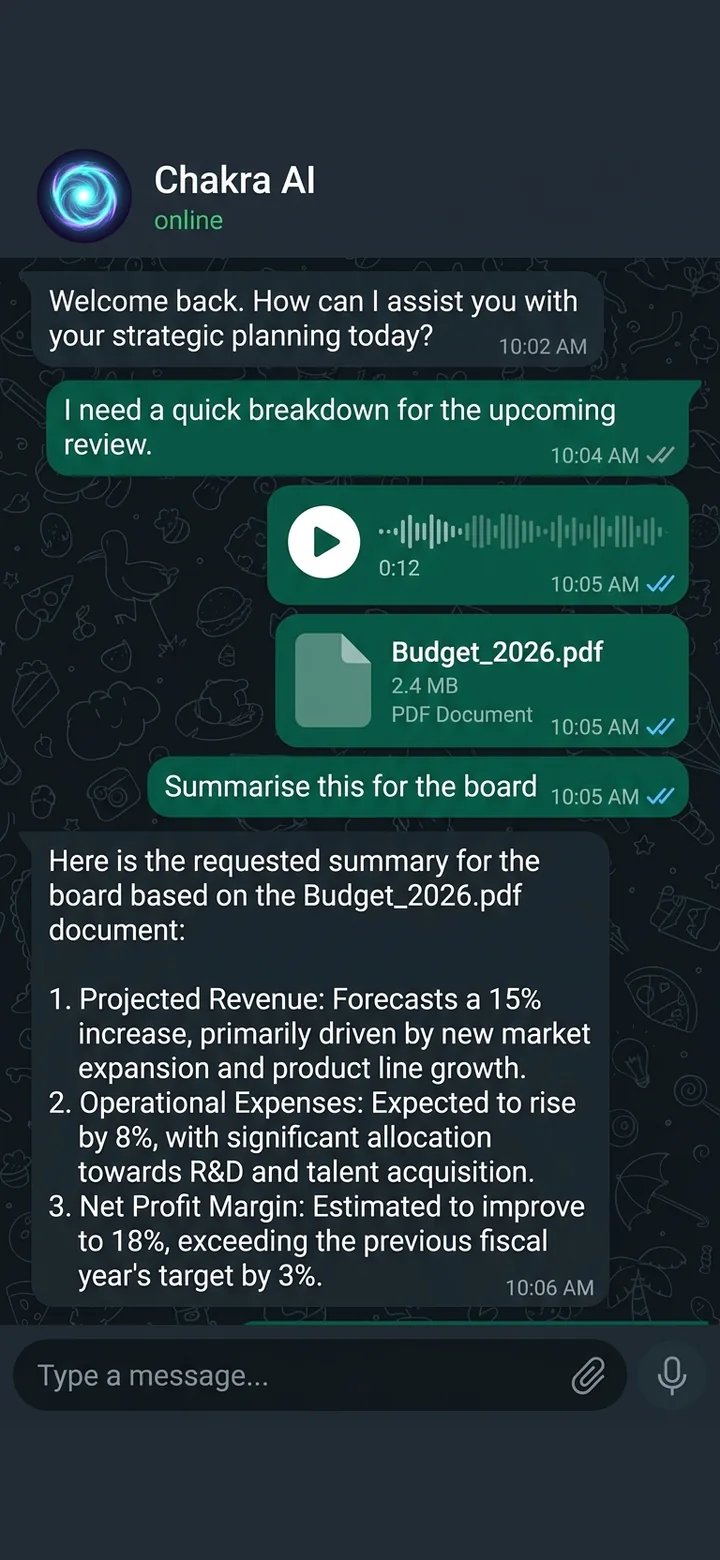
Nothing to install and nothing new to learn, because everyone is already on WhatsApp. Send text, a voice note or a PDF and it understands.

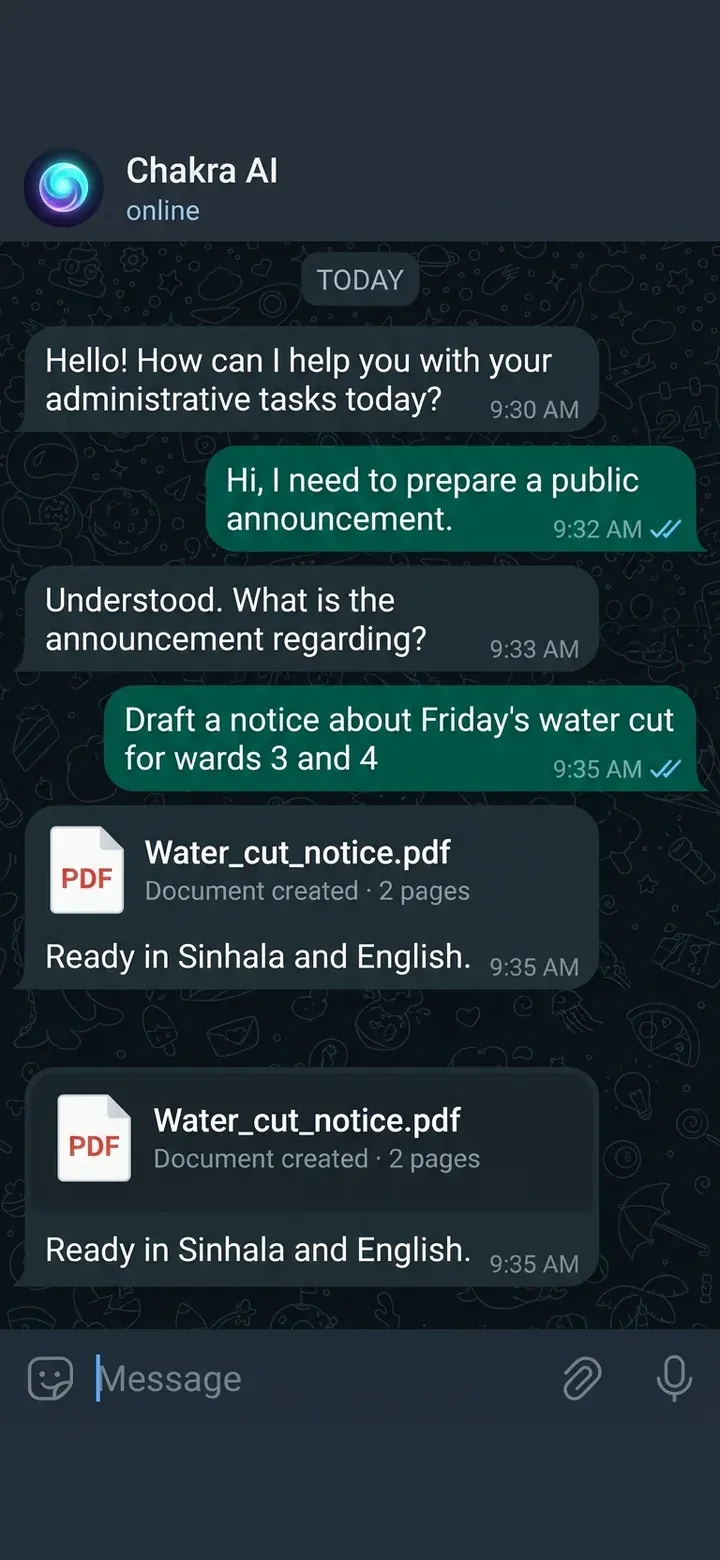
Creates documents

Letters, notices, reports and summaries drafted from a short instruction.

Communicates on your behalf

Sends WhatsApp messages and emails, and posts updates for your organisation.

Keeps the team on track

Follows up with team members until work is done and reminds officers of deadlines, meetings and approvals.

Researches the internet

Finds, compares and summarises information, like a research assistant on call.

Serves the public

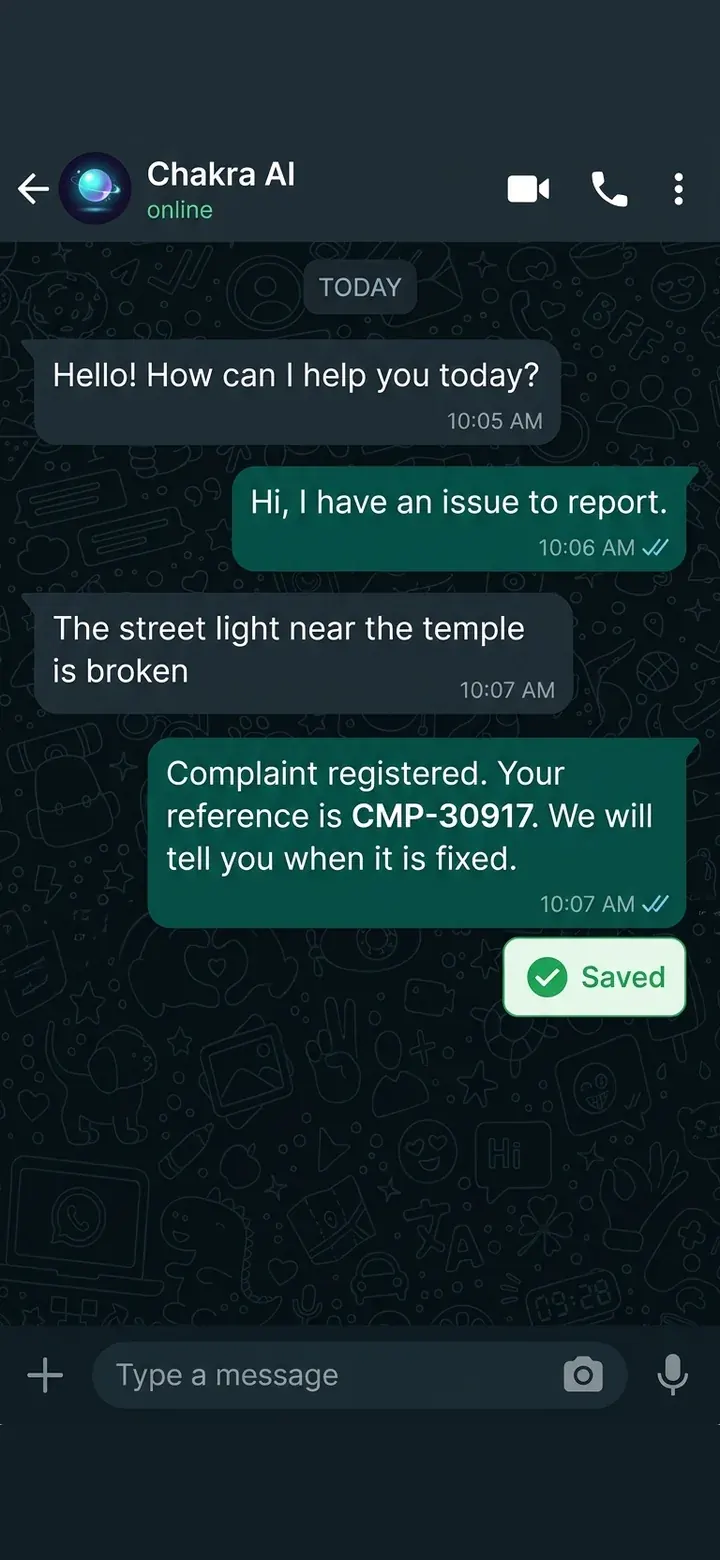
Answers from your knowledge base, registers complaints and booking requests with reference numbers, checks status, and tells customers when their case is resolved.

You stay in control

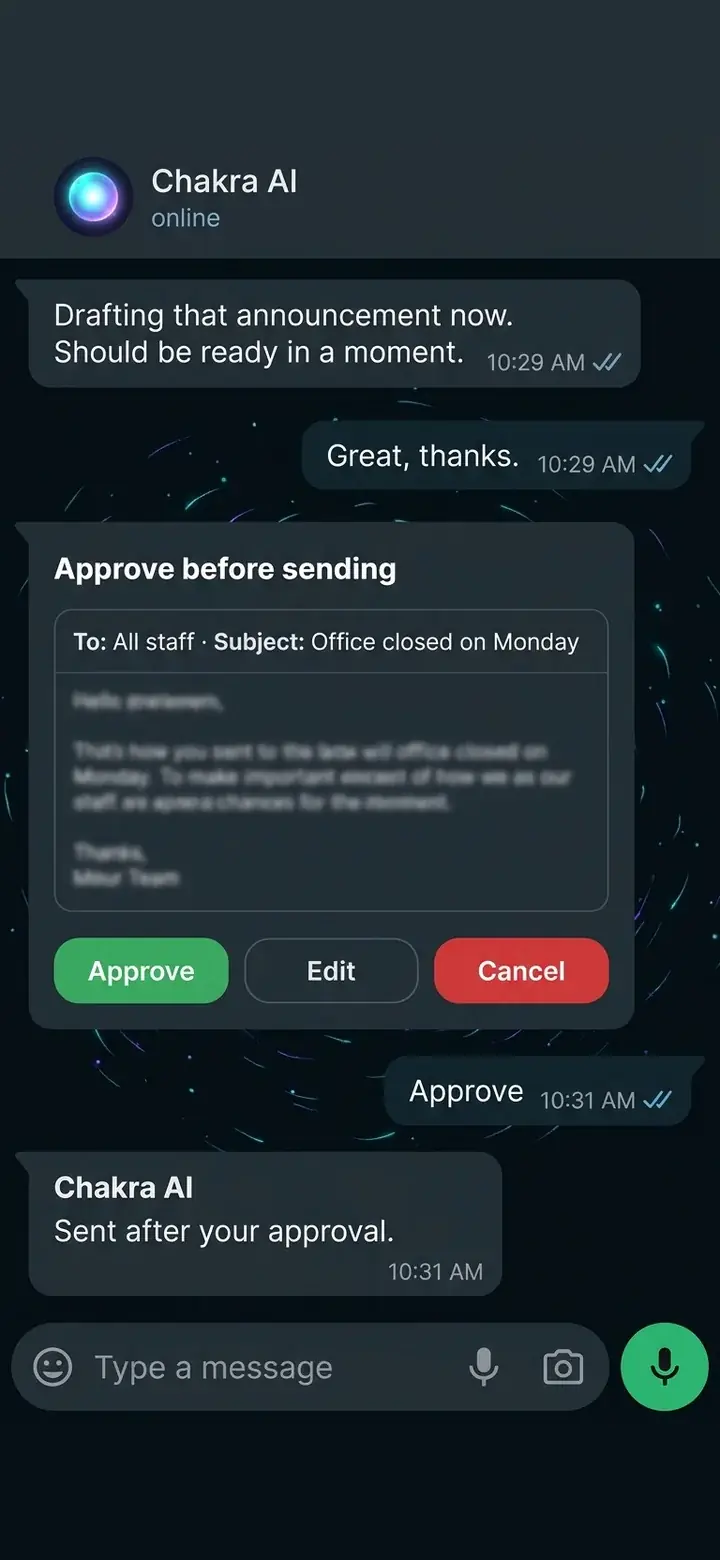
An approval step comes before the agent sends, emails or posts anything in your organisation's name.

One brain across channels

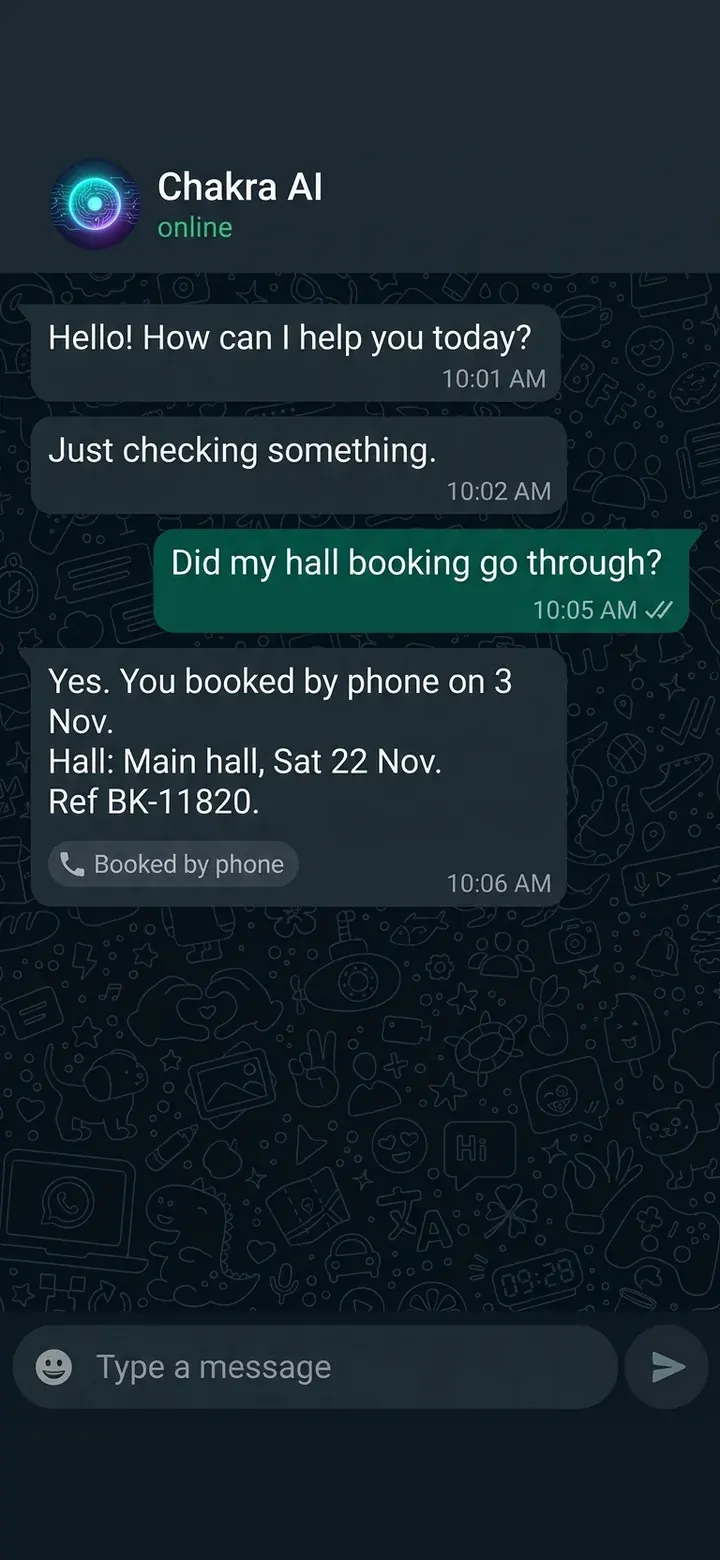
WhatsApp and the phone assistant share the same records, so a booking taken on one is respected on the other.

Takes meeting notes

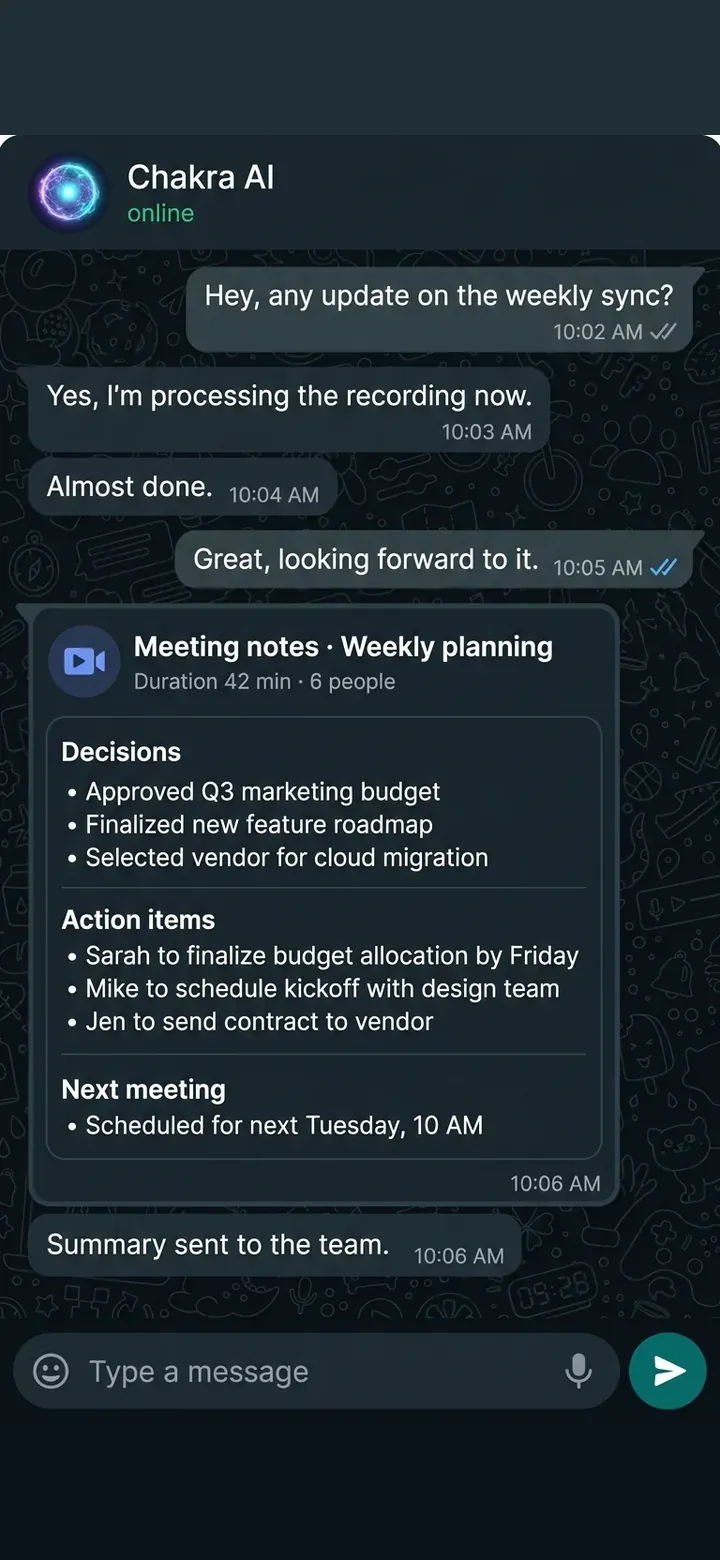
It joins Microsoft Teams meetings, records and transcribes them, writes the summary and sends it to the team.

Talks and listens

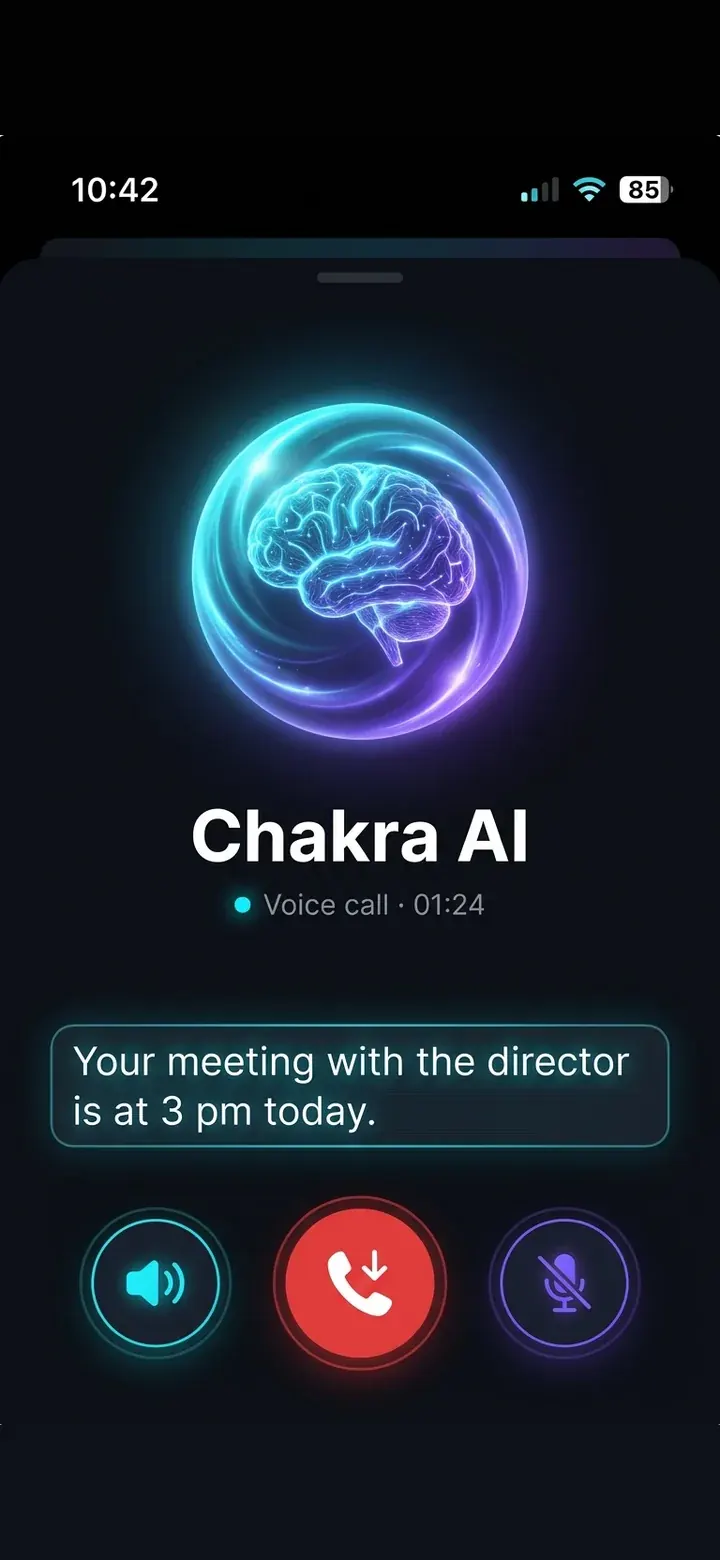
It answers WhatsApp calls and can ring people to deliver a message or talk something through, in any language, with a natural Sinhala voice option.

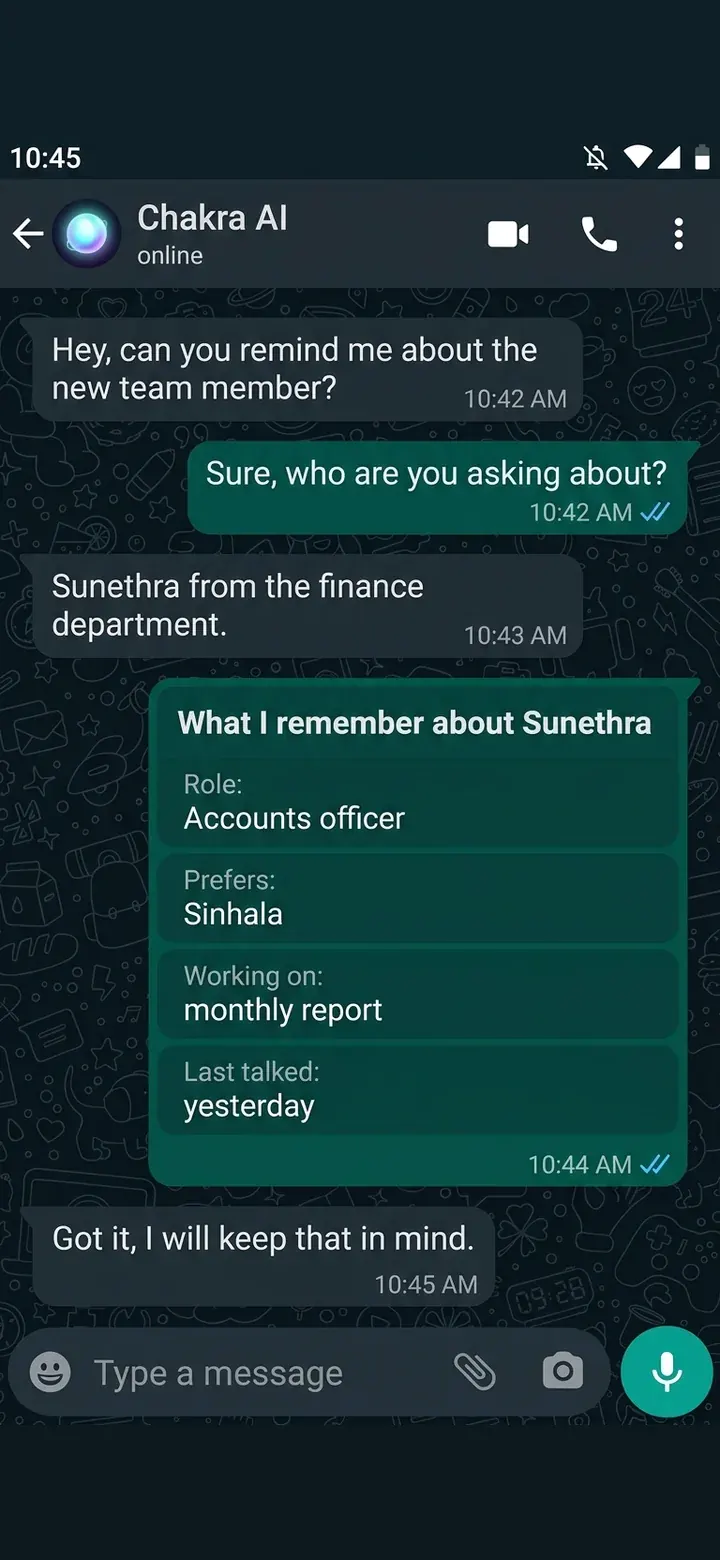
Remembers people

It keeps notes on each person it works with, so nobody repeats themselves.

Built for organisations

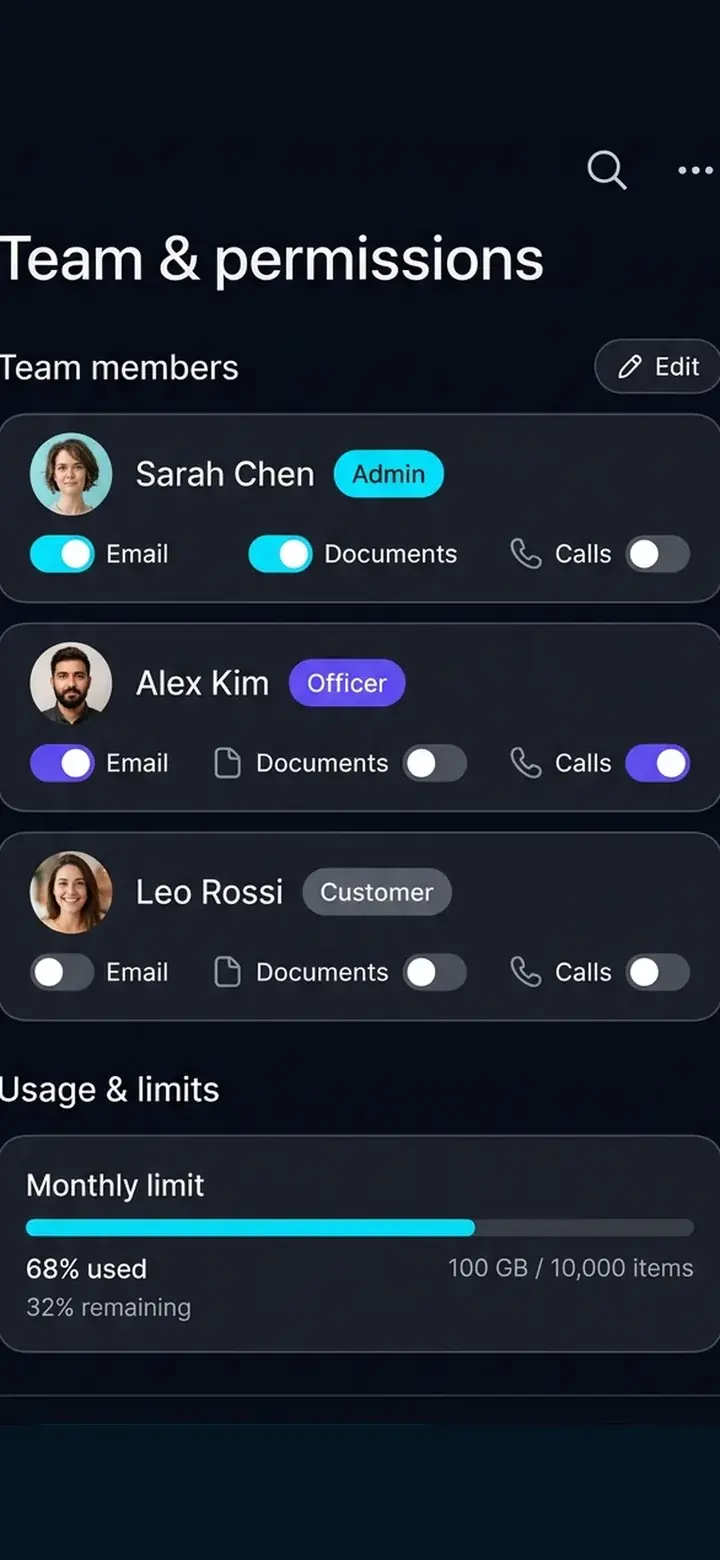
Roles and per-person tool access are enforced in code, with usage limits, spend alerts and an audit trail in the admin console.

One chat for officers, teams and customers
Creates documents
Communicates on your behalf
Keeps the team on track
Researches the internet
Serves the public
You stay in control
One brain across channels
Takes meeting notes
Talks and listens
Remembers people
Built for organisations

Key capabilities

What you get

  • Understands text, voice notes, PDFs and files
  • Approval step before it sends or posts for you
  • Creates documents on request
  • Executes tasks on behalf of officers
  • Sends messages and emails
  • Follows up with team members
  • Reminds officers of tasks and deadlines
  • Posts updates for your organisation
  • Researches the internet
  • Serves customers: answers, complaints, bookings, status
  • Shares one set of records with the phone assistant
  • Takes meeting notes (joins Microsoft Teams)
  • Answers and makes WhatsApp calls
  • Remembers each person
  • Roles, permissions and usage limits
  • Friendly with anyone, but acts only for people it has permission for

Talk, type or send a file

Officers and customers can type a message, record a voice note or send a PDF or other document. The agent understands them and acts on what they contain.

You stay in control

Actions that go out in your organisation’s name, such as sending a message or email or posting an update, go through an approval step first. Your team decides what the agent does, and the agent does the work.

What it can do for your customers

  • Answer questions about procedures, fees, documents and opening hours
  • Register complaints and service requests with a reference number
  • Take booking requests and check availability
  • Check the status of an application or complaint
  • Tell customers on WhatsApp when their case has been resolved

One brain across phone and chat

The WhatsApp agent and our Conversational AI voice assistant use the same records. A hall booked by phone is taken on WhatsApp, and every request carries the same kind of reference number whichever channel it came from.

Meetings, calls and memory

  • Take meeting notes: joins Microsoft Teams meetings, records and transcribes them, then sends the summary to the team
  • Talk and listen: answers WhatsApp calls and rings people to deliver a message, in any language, with a natural Sinhala voice option
  • Remember people: keeps context about each person so they do not repeat themselves

Built for teams and organisations

Several organisations can use one Chakra AI. Each person has a role that decides which tools they can use and how much they can spend. An admin console shows who used what, with limits, alerts and a sign-in and audit log, and the dashboard sits behind a two-step sign-in. Anyone can say hello and chat with it, and it answers in a friendly way, but it will not do any task for someone it has not been given permission for.

Benefits for your business

  • Officers get hours back every week
  • Nothing falls through the cracks: reminders and follow-ups happen automatically
  • Customers get fast answers in their own language
  • A complete record of every request and action

Ready to see it in action?

Start a chat on our demo number, or book a free call and we’ll set it up around your organisation.

  • StatusLive
  • Project leadTharindu Sathsara
  • StartedAugust 2026
Ask about this platform

Ready to see what AI can do for you?

Tell us about your challenges and goals. The first discovery call is free, with no obligation.